

A free diving wallpaper every Sunday.
Illustrations in the style of old travel posters, one destination at a time, chosen by season to help you plan your next trip. It's free: just turn on notifications.
1Choose a destination
Tap the button under the image you like.
2Allow notifications
Just once: your device will ask you.
3Tap the notification
The wallpaper downloads in full size. A new one comes out every Sunday.
These drawings show what you will see on your phone.
Set your wallpaper
Android - From the home screen
- Touch and hold an empty space on your home screen.
- Tap Wallpaper & style (or Wallpapers).
- Choose an image from your photos or browse the suggestions, then confirm.
iOS - From Settings
- Press and hold the image shown, then choose “Save As”.
- Open the Settings app.
- Tap Wallpaper.
- Tap Add New Wallpaper.
- Tap Photos to pick an image from your library.
- Tap Add, then confirm.
In colour, the wallpapers already out. In grey, the ones on their way, a new one every Sunday.
- New



Available on Sunday25 October 2026.

Available on Sunday1 November 2026.

Available on Sunday8 November 2026.

Available on Sunday15 November 2026.

Available on Sunday22 November 2026.

Available on Sunday29 November 2026.

Available on Sunday6 December 2026.

Available on Sunday13 December 2026.

Available on Sunday20 December 2026.

Available on Sunday27 December 2026.

Available on Sunday3 January 2027.

Available on Sunday10 January 2027.

Available on Sunday17 January 2027.

Available on Sunday24 January 2027.

Available on Sunday31 January 2027.

Available on Sunday7 February 2027.

Available on Sunday14 February 2027.

Available on Sunday21 February 2027.

Available on Sunday28 February 2027.

Available on Sunday7 March 2027.

Available on Sunday14 March 2027.

Available on Sunday21 March 2027.

Available on Sunday28 March 2027.

Available on Sunday4 April 2027.

Available on Sunday11 April 2027.

Available on Sunday18 April 2027.

Available on Sunday25 April 2027.

Available on Sunday2 May 2027.

Available on Sunday9 May 2027.

Available on Sunday16 May 2027.

Available on Sunday23 May 2027.

Available on Sunday30 May 2027.

Available on Sunday6 June 2027.

Available on Sunday13 June 2027.

Available on Sunday20 June 2027.

Available on Sunday27 June 2027.

Available on Sunday4 July 2027.

Available on Sunday11 July 2027.

Available on Sunday18 July 2027.

Available on Sunday25 July 2027.

Available on Sunday1 August 2027.

Available on Sunday8 August 2027.

Available on Sunday15 August 2027.

Available on Sunday22 August 2027.

Available on Sunday29 August 2027.

Available on Sunday5 September 2027.

Available on Sunday12 September 2027.

Available on Sunday19 September 2027.

Available on Sunday26 September 2027.

Available on Sunday3 October 2027.
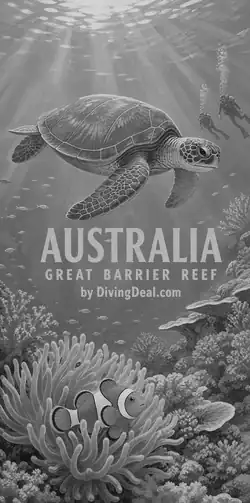
Available later.

Available later.

Available later.

Available later.

Available later.

Available later.

Available later.

Available later.
Next release: Sunday 25 October.
Every wallpaper released so far stays available.
1440 × 2896 pixels, made for recent phones.